A domain registered in 2007 and a domain registered last month can have identical content and identical backlink counts. Google does not treat them the same. Domain age is one of the quieter signals in SEO, rarely discussed in depth, but it shows up consistently when evaluating expired domains, prospecting for link targets, or doing competitive research. The domain age checker by Alaikas gives you a fast way to pull that registration date without digging through WHOIS records manually.
Here is what the tool actually does, what the data means for your work, and where people get tripped up using age data incorrectly.
What the Domain Age Checker by Alaikas Actually Shows You
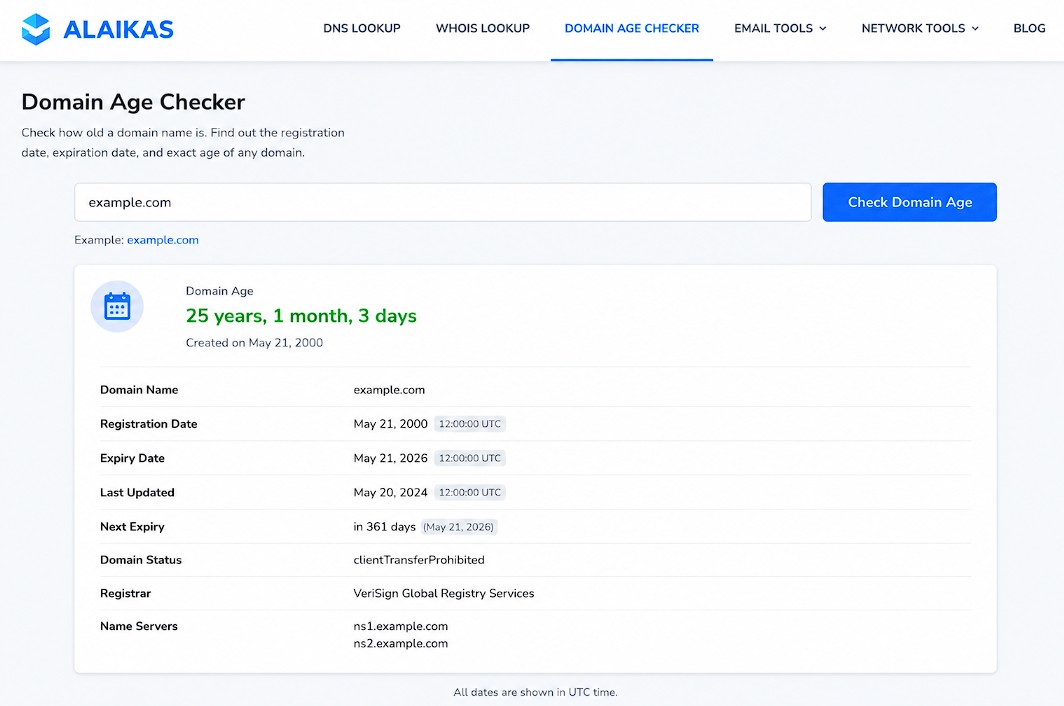
The domain age checker by Alaikas is a free web tool that accepts a domain name and returns its registration date, along with the calculated age from that date to today.
Under the hood, the tool queries WHOIS records maintained by domain registrars. Every domain registration creates a WHOIS entry with a creation date, an expiration date, and registrar information. The Alaikas checker extracts the creation date and does the arithmetic for you.
What you get back:
- Registration date — the date the domain was first registered, not the date it was last renewed
- Domain age — calculated in years, months, and days from the registration date to the current date
- Expiry date — when the registration is next due for renewal (useful for spotting domains that may drop soon)
One thing worth knowing: the tool shows the original registration date, but that date can be misleading for domains that were once parked, dropped, and re-registered. A domain that shows a 2009 creation date may have been abandoned for three years and re-registered in 2012. The WHOIS creation date reflects the first registration, not the date the current owner took it over.
If you need to verify actual active history, pair the Alaikas tool with a Wayback Machine check at web.archive.org to confirm the domain had real content through those years.
How to Use the Domain Age Checker by Alaikas Step by Step
Using the tool takes about 30 seconds per domain. Here is the exact process:
- Go to the Alaikas domain age checker tool page
- Type or paste the domain name into the input field (just the domain, no
https://needed — e.g.example.com) - Click the check button
- Read the result: registration date, age in years/months/days, expiry date
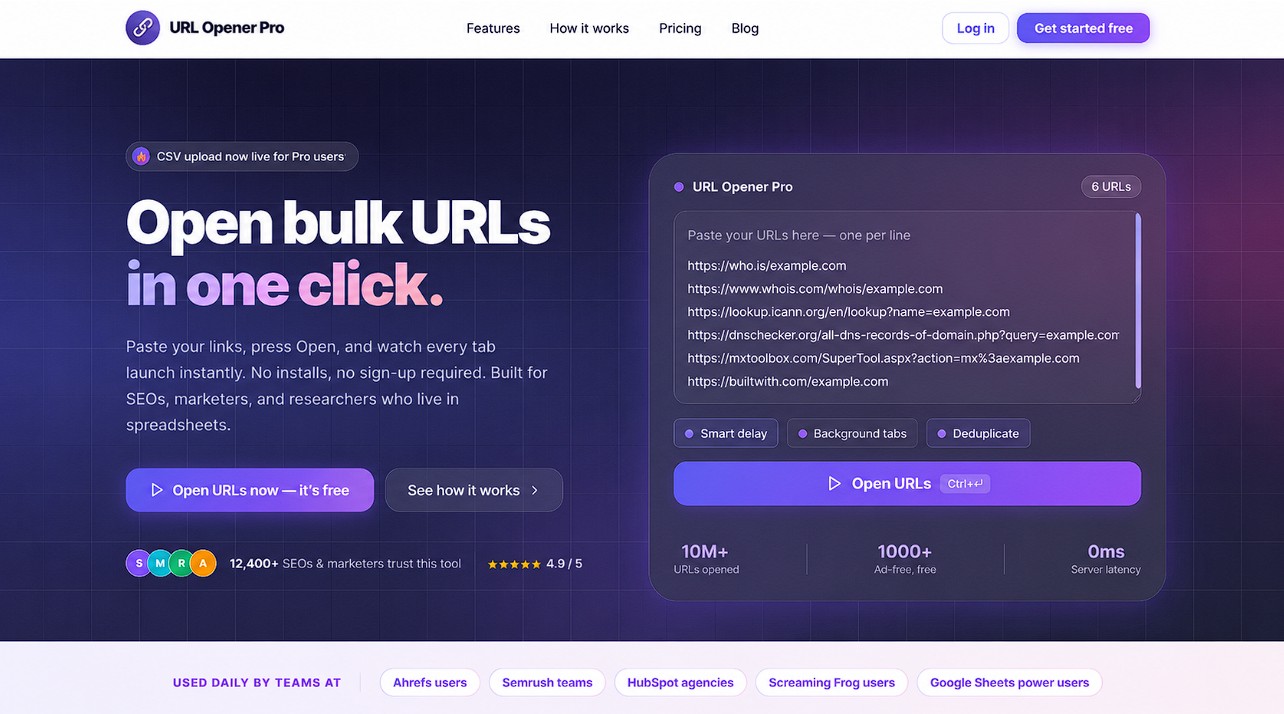
For single lookups that is the whole workflow. Where the tool becomes genuinely useful is when you are working through a list of prospects, and that is where a bulk URL opener becomes useful. If you have 40 link prospects from an Ahrefs export, you can open all their Alaikas check pages simultaneously rather than running each one individually.
Batch research workflow:
- Export your domain list from Ahrefs, SEMrush, or Moz
- Prepend each domain with the Alaikas checker URL structure to build a list of check URLs
- Paste the list into URL Opener Pro and open all tabs at once
- Work through the results and filter out domains under your minimum age threshold
Most SEOs set a floor of two to three years for link prospecting. Anything under 12 months is almost always excluded from link building campaigns unless there is a specific reason to include it.
Why Domain Age Matters for SEO (and Where It Gets Overstated)
Domain age is a real signal, but it is not a ranking factor in the way PageRank is. Google’s John Mueller confirmed in a 2020 Webmaster Hangout that domain age alone does not give a ranking boost. What age correlates with is something more specific: the accumulation of trust signals over time.
An older domain tends to have more of the things that do affect rankings:
- A longer backlink acquisition history, which looks natural to Google’s link graph
- More pages indexed over more crawl cycles
- Less likelihood of being caught in a spam filter that targets newly registered domains used in link schemes
This is why domain age shows up in link building vetting. A referring domain registered in 2005 with 200 links pointing to your site carries more credibility than a domain registered six months ago with the same count. The age itself is not the variable Google weights; it is the proxy for accumulated trust.
Where people overstate domain age is in the expired domain space. Buying a domain that is 15 years old does not automatically transfer any historical authority if the domain was deindexed, penalized, or parked for most of its life. Check the domain age checker by Alaikas for the registration date, then verify actual indexed content history via Wayback Machine and check the current index status in Google Search Console before assuming any authority carries over.
A domain that is old but was parked for 10 of those years is closer to a new domain in terms of what Google actually knows about it.
Domain Age Checker by Alaikas vs. Other WHOIS Tools
There are several tools that show WHOIS data and domain age. Here is how the Alaikas checker compares to the main alternatives:
Alaikas Domain Age Checker
- Clean, minimal interface with no clutter
- Returns age in plain years/months/days format
- Free, no login required
- Shows expiry date alongside registration date
- No bulk lookup functionality built in
WHOIS.domaintools.com
- More detailed WHOIS data including registrar, nameservers, and historical ownership
- Paid tier required for historical WHOIS records
- More useful when you need full registrant history, not just age
Namecheap WHOIS
- Free, solid for single lookups
- Includes full WHOIS record but buries the creation date in a longer output
- No calculated age display; you do the arithmetic yourself
Small SEO Tools Domain Age Checker
- Shows age, registration, and expiry
- Also free, no login needed
- Sometimes returns slower results on high-traffic domains
The Alaikas tool wins on simplicity for quick SEO vetting tasks. If you only need the age and expiry to qualify a domain for link building outreach, it returns that in the clearest format. If you need registrant history, ownership records, or historical WHOIS snapshots, DomainTools is worth the paid access.
Common Mistakes When Using Domain Age Data in SEO Research
SEOs misread domain age data more often than they get it right. These are the specific errors that cause bad decisions.
Confusing registration date with authority start date
A domain registered in 2003 that was parked until 2019 has 20 years of registration history and roughly 5 years of actual authority accumulation. The WHOIS creation date does not tell you when the domain started earning real links and getting crawled. Always cross-reference with Wayback Machine snapshots.
Ignoring expiry dates when evaluating expired domains
The Alaikas domain age checker shows expiry dates. A domain expiring in two weeks that you find via a backlink audit may be available for registration. Most domain auctions happen before the drop date. If you spot an expiring domain with strong link history, act quickly. The window between expiry and re-registration is usually 30 to 75 days depending on the registrar’s redemption period policies.
Using age as a substitute for link quality vetting
Age is a quick filter, not a full vetting process. A 10-year-old domain with 500 links from comment spam and forum profiles is not a good link source. Run the referring domain through Ahrefs or Majestic to check link quality after you confirm age. The domain age checker by Alaikas handles the first filter; it is not designed to replace a full backlink audit.
Checking subdomain age instead of root domain age
Subdomains like blog.example.com often return the age of the parent domain example.com. If you are evaluating a subdomain as a link source, the age you see reflects the root domain, not the subdomain’s actual publishing history. Check Wayback Machine specifically for the subdomain path to see when content actually appeared there.
Conclusion
The domain age checker by Alaikas is a fast, free tool for pulling registration dates and calculated domain age without digging through raw WHOIS records. For link prospectors, competitive researchers, and anyone evaluating expired domains, it handles the first filter quickly. The key is not to stop there: age tells you how long a domain has existed, not whether it has earned real authority during that time. Combine the Alaikas lookup with a Wayback Machine history check and a backlink quality audit in Ahrefs or Majestic before making any decision about a domain’s value. If you are running this research at scale across dozens of prospects at a time, a bulk URL opener makes the tab management part fast instead of painful.
Frequently Asked Questions
What is the domain age checker by Alaikas?
The domain age checker by Alaikas is a free web tool that shows the registration date, calculated age, and expiry date of any domain name by querying its WHOIS record. It returns results in a plain format: years, months, and days since the domain was first registered. No account is required and it handles one domain per lookup.
How does the Alaikas domain age checker get its data?
The tool pulls data from WHOIS records maintained by domain registrars. Every registered domain has a creation date entry in its WHOIS record. The Alaikas checker extracts that date and calculates the elapsed time to give you the domain age in a readable format.
Is domain age a Google ranking factor?
Not directly. Google’s John Mueller stated in 2020 that domain age does not give a direct ranking boost. What older domains tend to have is a longer history of natural backlink accumulation and crawl data, which do affect rankings. Age is a proxy for those signals, not a standalone factor.
What is a good domain age for link building prospects?
Most SEO practitioners use two to three years as a minimum threshold when vetting referring domains. Domains under 12 months old are typically excluded from link building campaigns because they have not had enough time to accumulate the trust signals that make a link valuable. There is no universal rule, but younger domains require more scrutiny.
Can a 15-year-old domain have weak authority?
Yes. A domain registered in 2008 that was parked until 2022 has 16 years of registration history but only a few years of actual content and backlink accumulation. Google evaluates the active history of a domain, not just its age. Always verify with Wayback Machine snapshots to confirm the domain had real content across its registered life.
How do I check multiple domains at once with the Alaikas tool?
The Alaikas checker handles one domain per lookup. For bulk research, build a list of individual check URLs for each domain and use a bulk URL opener like URL Opener Pro to open all tabs simultaneously. This is faster than running each lookup one by one when you have 20 or more domains to vet.
What is the difference between domain age and domain authority?
Domain age refers to how long the domain has been registered, measured from the creation date in the WHOIS record. Domain authority is a metric created by Moz (scored 1 to 100) that estimates the ranking potential of a domain based on its backlink profile. Age correlates loosely with authority but does not determine it. A two-year-old domain with strong editorial backlinks can outrank a ten-year-old domain with weak ones.
Does WHOIS privacy hide domain age data?
No. Privacy services (WHOIS proxy) hide the registrant’s name, email, and contact details, but the domain creation date and expiry date remain visible in the WHOIS record. The Alaikas domain age checker will still return accurate age data for domains with privacy protection enabled.
What should I do after checking domain age with the Alaikas tool?
Age is a first filter. After confirming a domain meets your minimum age requirement, run it through Ahrefs or Majestic to evaluate backlink quality, check the Wayback Machine to verify active content history, and run a Google search for site:domain.com to confirm the domain is indexed. For expired domains, also check for any manual penalties or spam history.
How accurate is the domain age checker by Alaikas?
Accuracy depends on the WHOIS record for the domain. Most domains have accurate creation dates in their public WHOIS records. Country-code TLDs (ccTLDs) like .uk, .de, or .au sometimes have limited WHOIS data, and the tool may return incomplete results for those. For generic TLDs (.com, .net, .org), WHOIS records are typically complete and the age data is reliable.
Can I check domain age for any TLD?
The tool works for most major TLDs including .com, .net, .org, .io, and .co. Results for ccTLDs vary by country since some national registries restrict WHOIS data access. If the tool returns no result for a ccTLD, try a registrar-specific WHOIS lookup for that country.
Why do some old domains have no authority despite their age?
Three main reasons: the domain was parked (no content, no links) for most of its life; it was used for spam and picked up a manual or algorithmic penalty; or it changed hands and the new owner started fresh with unrelated content. Google resets its understanding of a domain when the content changes significantly after a sale, which is why buying an old domain does not automatically carry over its history.