Most SEO budgets go to tools the team already knows how to use. The bigger gains, according to the 26 practitioners below, sit in features that were in the dashboard all along. Underutilized SEO features rarely need a new subscription. A page filter, a regex query, a crawl depth column or a report nobody opens was the starting point for one page growing from about 40 to over 600 clicks a month, a keyword report that hid 81% of a site’s clicks, and a slow server that cut Googlebot’s crawling by nearly half.
Each expert answered one question: which feature improved your results, and how did you find it? Their answers are grouped by where the feature lives, with the steps to reproduce each one.
Underutilized SEO Features in Google Search Console’s Performance Report
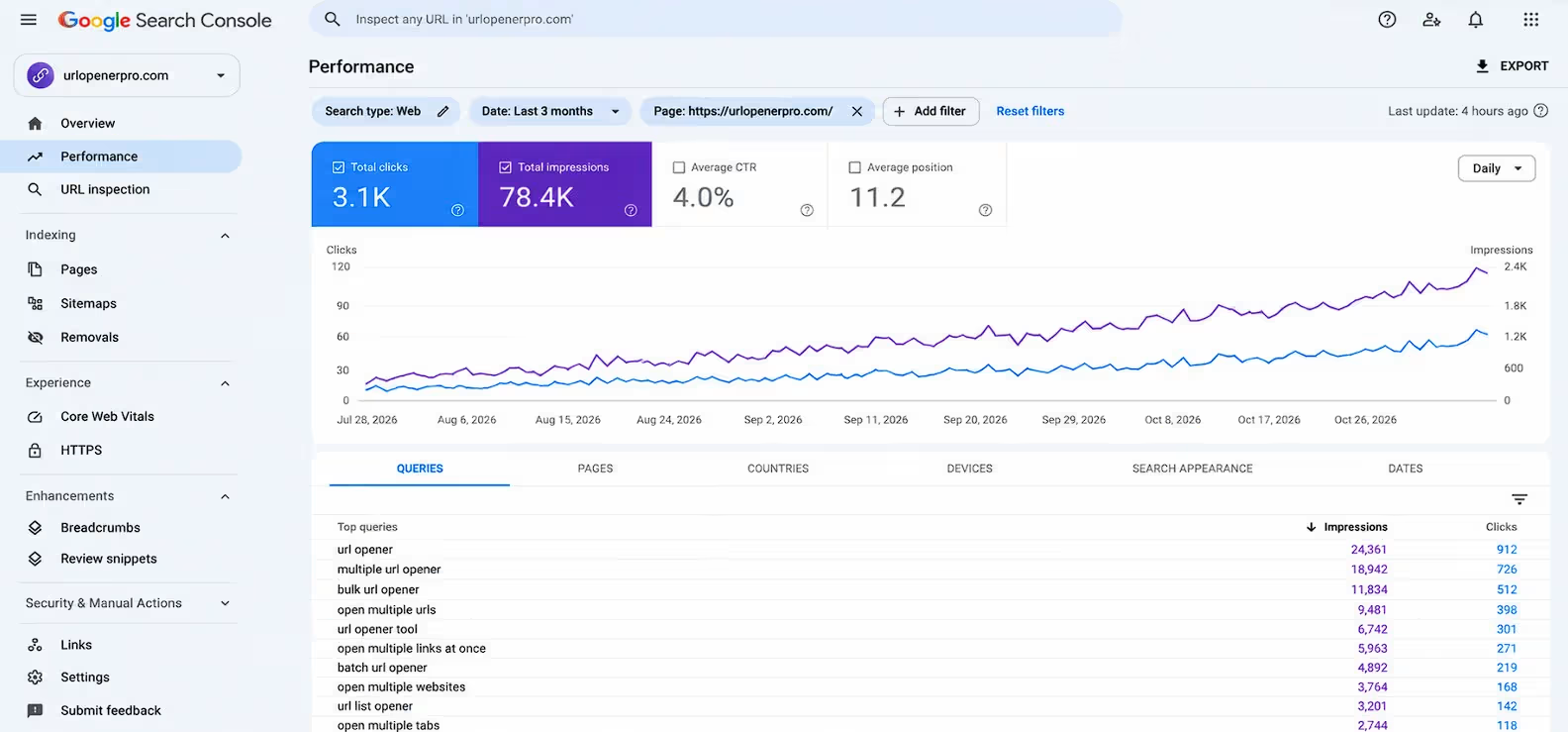
The most underutilized SEO feature in this roundup is the Search Console Performance report filtered to a single page. Of the 26 experts featured here, 18 named a Search Console feature, and most of them did the same thing: they stopped reading site-wide totals and started reading what one page or one group of queries was doing.
To reproduce it, open Performance, then Search results. Click a page under the Pages tab to filter to it, then switch to the Queries tab. You now see only the searches that page appears for, with its own clicks, impressions, click-through rate and average position.
Filter by page, then sort by impressions
A page-level view shows what Google thinks a page is about, which is often different from what you built it to rank for. The two experts below used it to find pages that were visible but ignored.
1. Om Yadav, Co-Founder, Yavi Media
“We found one of our service pages getting 764 impressions at an average position of 7.3, with zero clicks. Google was showing the page, and people were looking straight past it.”
Try it: a high-impression, zero-click page at position 7 is one of the cheapest fixes in SEO. Rewrite the title tag and meta description to match the wording of the queries already showing, then watch that one page for a few weeks.
2. Nick Mikhalenkov, SEO Manager, Nine Peaks Media
“The page filter in the search performance report, read on the query list, not the clicks chart. Pick one page, filter to it, sort its queries by impressions, then read the ones with almost no clicks.”
Watch for: Nick points out that location and modifier variants often out-search the bare head term, so the list may not match the keyword the page was built for. That is useful information, not a problem. It shows you what searchers actually call the thing.
Find striking distance queries
Striking distance queries are searches where your page already ranks near the bottom of page one or on page two. Google has judged the page relevant. The remaining work is usually small: a title tweak, a direct answer higher on the page, one stronger internal link. The experts below draw the line at slightly different positions, which is useful to see side by side.
3. Victor Smushkevich, Founder, Tested Media
“Most people look at the top-line clicks graph and stop. The filtered list is where the quick wins sit.”
Try it: Victor exports queries ranking in positions 8 to 20 and matches each one to the page that ranks for it. The fix is usually small: the query is missing from the title tag or first heading, the page answers it only halfway, or no internal link points at the page with the right anchor text. Because every query comes from real impressions, he uses this list in place of keyword research for existing sites.
4. Runbo Li, CEO, Magic Hour AI
“You’re not trying to convince Google of something new. You’re finishing a conversation Google already started.”
Try it: Runbo sorts queries with an average position between 8 and 20 by impressions and calls it the striking distance filter. Instead of writing new pages, he spent a weekend adding sections for those exact queries, tightening titles and descriptions, and improving internal links. He reports one page going from about 40 clicks a month to over 600. Treat that as one self-reported case, not a benchmark.
5. Michelle Symonds, SEO Consultant, Ditto Digital
“It is using Google Search Console’s Query data filtered by a specific page/url combined with the Average Position data for queries ranking in positions 21-30 i.e. those that clearly need a boost.”
Why it works: Michelle looks further out, at positions 21 to 30. Google has already judged those pages relevant enough to list, so what is missing is usually specific: structured data, clear statistics or backlinks. She also noticed that pages ranking between 11 and 30 were often cited in AI tools like Perplexity, and says improving them lifted their visibility in Gemini. That is her observation across B2B clients, not a controlled test.
6. Imre Kiss, Editor, Start Site Now
“A query that lands on a page that doesn’t answer it is a content gap where the demand is already proven.”
Try it: in Performance, Search results, Queries, add a Position filter greater than 20, sort by impressions, then open each query and read the Pages tab. Imre found hosting comparison queries where Google was showing a single-company review because no comparison page existed. He built one, backed by speed tests he ran on both hosts himself.
My take on the position window: start with positions 8 to 20 because the fixes are smallest. When that list runs out, move to 21 to 30, then use Imre’s method to spot queries where Google is ranking the wrong page.
Check the Pages tab for keyword cannibalization
7. Andrew Izrailo, Senior Corporate and Fiduciary Manager, Astra Trust
“Most sites don’t need more pages. They need fewer pages that agree on who answers what.”
Try it: filter the Performance report by a single query, then open the Pages tab to see every URL Google has shown for it. On Andrew’s site, several pages about the same offshore jurisdiction were competing, with Google switching between them. Publishing another article would only add another contender. His fix was consolidation first: pick the page that deserves the query, merge the useful material from the others into it, 301-redirect the rest and repoint internal links to the page you kept. Screaming Frog helps with that last step because it shows how few internal links your important pages actually receive.
Read averages carefully before you react
Average position is the number most likely to send you chasing the wrong problem. Two experts show why.
8. Dan Kabakov, Google Ads Specialist, Online Labs
“One odd search phrase had sent about 46% of all impressions to my retainer calculator page, at position 7, with zero clicks.”
What happened: Dan’s average position slid from about 16 to about 33 in a month, which looked alarming. Filtering by page and query showed the phrase had faded out. With that page removed, the real movement was position 27.3 to 32.0 and clicks from about 3.6 a day to 2.4. A sitewide average shifts whenever the mix of queries changes, even if no page got worse.
9. Aigars Pilmanis, Founder, VolRadar
“The ranking stayed almost identical but the search engine showed the page less frequently.”
Try it: Aigars isolates one query on one page on one device type and compares set calendar periods. When traffic dipped, the average position moved only from 8.5 to 8.7, but weekly impressions for that term fell from 56 to 14. He set a baseline from the week before the drop, tracked a small group of queries plus one unchanged control page, and held off editing anything while he watched. He is clear that he can’t report a traffic gain. The benefit was avoiding a wrong fix.
Underused SEO Features for Finding Buyer Intent: Regex Filters and Branded Splits
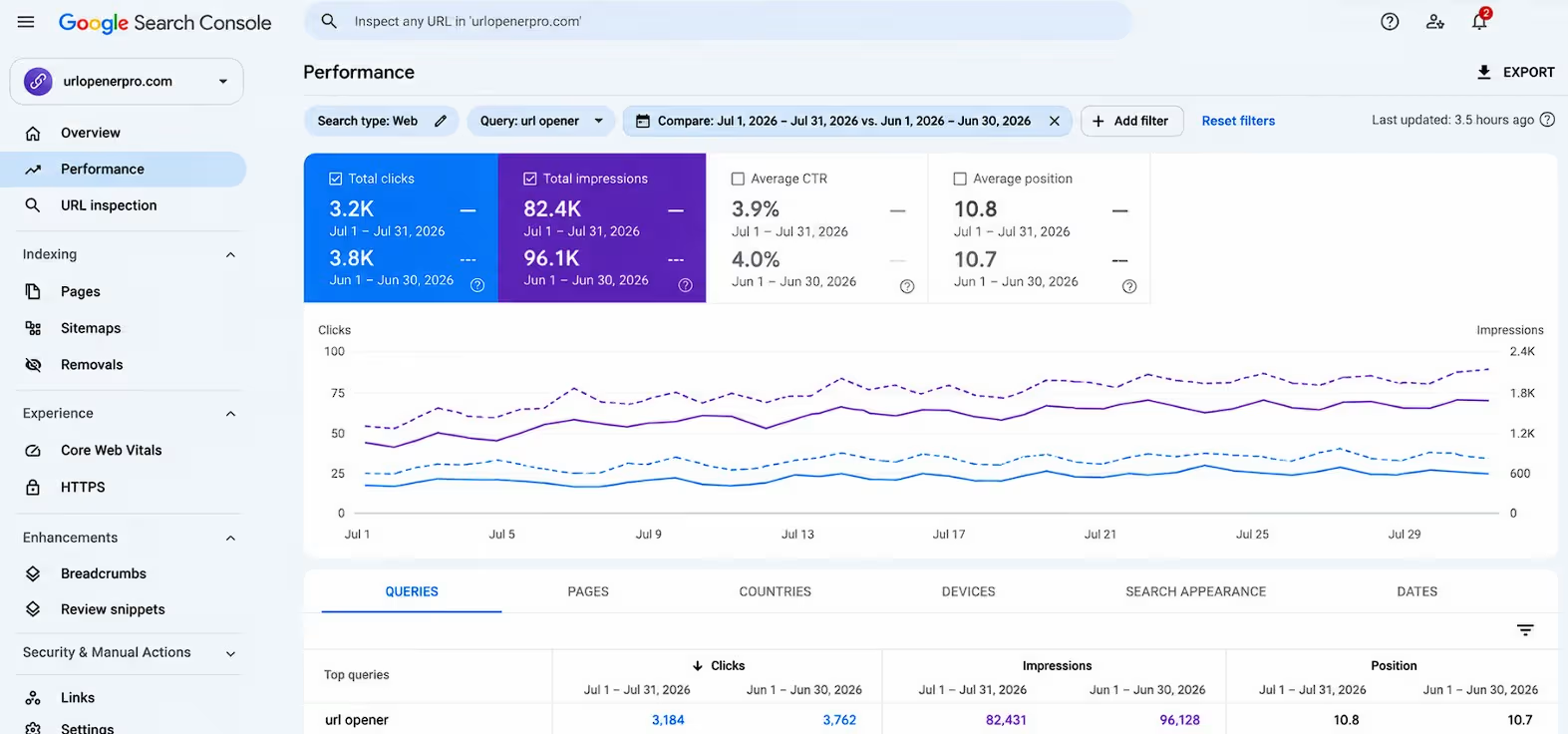
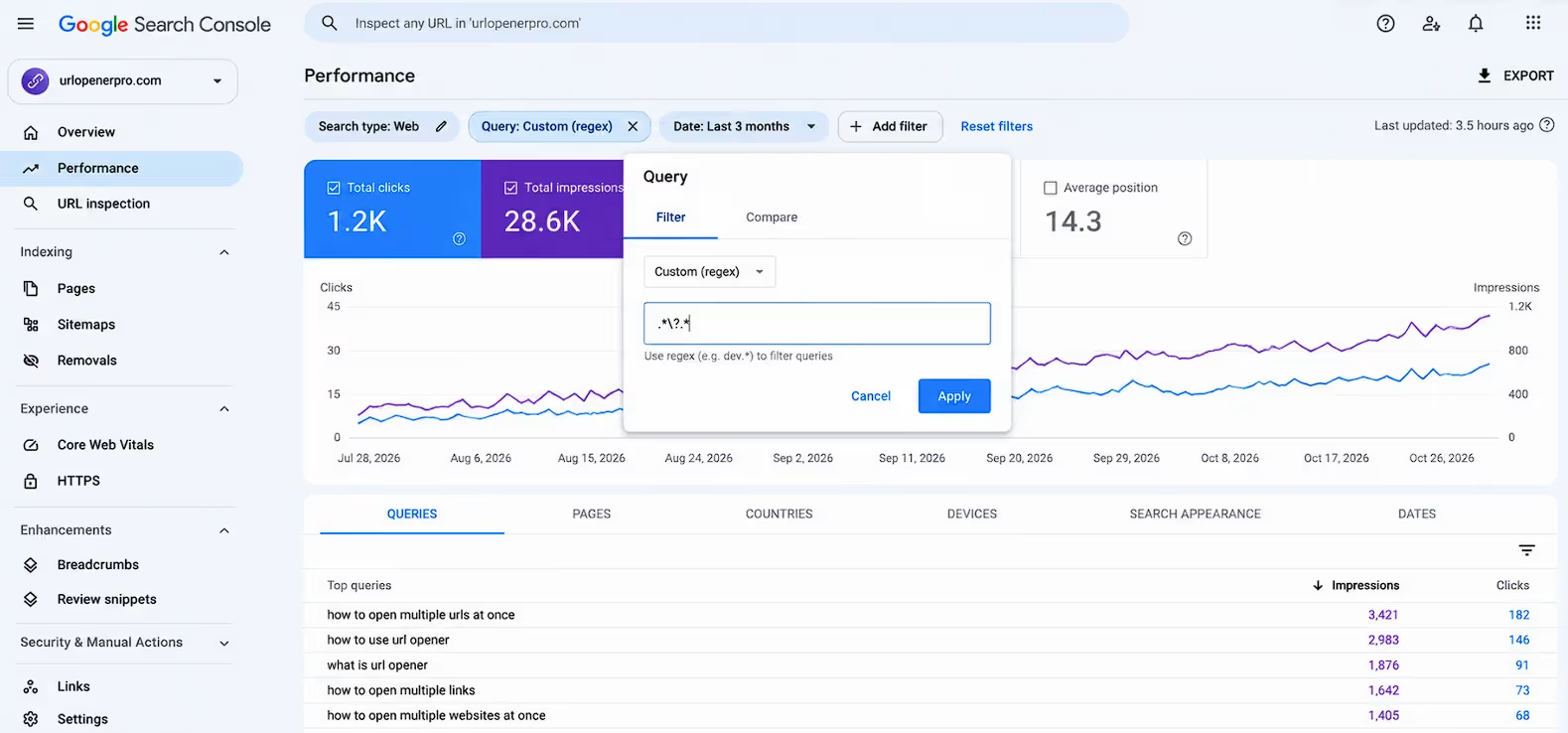
The regex filter in Search Console’s query filter is the most underused feature for finding buyer intent. Four of the experts below built their answer around it, and several other contributors mentioned it too. It lets you isolate questions, comparisons or any pattern in one pass, instead of scrolling a flat list of thousands of queries.
To use it, open Performance, click Add filter, then Query, and choose Custom (regex). Pick Matches regex to include a pattern or Doesn’t match regex to exclude one. Google uses RE2 syntax, so most simple patterns work as expected.
Isolate question-shaped queries
Questions show how real customers think, in their own words, which is what you want in headings and FAQs.
10. Hamza Ezzaydia, Founder, GrowGanic
“Search Console showed us the searches Google was already testing the site for, and the regex filter turned that raw list into something usable in a minute.”
Try it: add a Query filter, choose Custom (regex), and enter ^(how|what|why|which|can|does|is|best)\b. Then keep only rows with Position greater than 10. You get real questions where the site already appears, mostly on page two, with impressions but almost no clicks. Two tips from Hamza: run it on the last three months so low-volume questions show up, and export before narrowing further because the interface only shows the first 1,000 rows.
11. Sina He, Co-founder, Ubackdrop
“Keywords tell you what people type. Questions tell you what’s stopping them from buying.”
What happened: Sina found the filter by accident while trying to remove the brand name from a report. A filter for searches starting with “how,” “can” or “does” revealed hundreds of questions, usually on page three, with no page answering them. The team added a short Q&A to its top 30 product pages in customers’ exact wording. He reports clicks to those pages rose about 40% within four months and “how do I set this up” emails slowed down. That is a self-reported result for one store.
12. Corina Tham, Sales, Marketing and Business Development Director, CheapForexVPS
“When our sales team would hold calls with potential customers, we would hear over and over again the same nervous questions.”
Try it: Corina wondered whether customers were asking Google the same questions before they ever called. She used a regex for queries starting with how, why, can, is and best, then rewrote product pages and FAQs to answer those fears in the same language. She reports higher click-through rates and more trial sign-ups. If you have a sales or support inbox, your most common objections are probably already in your query data.
Find comparison and decision-stage searches
13. Shantanu Pandey, Founder & CEO, Tenet
“Typing vs|versus|alternative|compare into it surfaces every comparison search a site already gets impressions for, and those are buyers one step from choosing.”
What happened: a SaaS client’s demo requests had dipped even though rankings looked fine. Their comparison traffic was landing on generic feature pages that never named a competitor. The team built four head-to-head pages with plain pricing tables and pointed internal links at them from the blog. Shantanu says those four pages now account for 31% of the client’s organic demo requests.
Measure the data you are actually looking at
A regex also helps you remove noise, and two experts used filters to show how much of their data was misleading.
14. Aidan Shaw, CEO, AEO Labs
“Without the branded split, we would have kept celebrating a chart that mostly measured our own name.”
Try it: set the Query filter to Doesn’t match regex and enter your brand name. Aidan’s 28-day impressions rose from 8,656 to 35,321 between July and early October, and clicks from 25 to 70. Then he split out branded searches and found 30 of the 37 clicks with a visible query were people already typing the brand name. He stopped a generic blog schedule on October 1 and aimed effort at the unbranded searches buyers make. Run this split before you report growth to anyone.
15. Nassira Sennoune, SEO Consultant, Originn Properties
“Every keyword report on this site, including the ones I build, describes a minority of the traffic.”
Try it: compare the whole-site total in Search Console with the sum of the named queries. Over 16 months, Nassira’s luxury property site had 215 clicks, but the named queries accounted for only 41 of them, so about 81% of clicks had no keyword attached because Google withholds rare queries. She now labels every keyword number “of the named queries” and judges pages in the Pages view, which counts every click. That view also showed 26 of her 60 live pages had no named query at all.
Underutilized Technical SEO Features for Crawling and Indexing
The most underutilized technical SEO features are the Page indexing report, Crawl Stats and the crawl depth and segmentation views in Screaming Frog. They show the one thing content tools cannot: how Google and your own crawler actually move through the site. Five experts found real problems in them.
The Page indexing report: read the list, not the chart
16. Oscar Scolding, SEO Consultant, OscarScolding.com
“It lists pages Google found and decided to leave out, which is a direct view of what Google considers low value on your site.”
Try it: open Indexing, then Pages, and start with the “Crawled, currently not indexed” group. Oscar used it on Roxhype, a fitness app hit by Google’s December 2025 update, where a large share of pages sat outside the index. The team consolidated low-value content, rewrote priority pages and tightened internal links. He reports daily impressions rose 100% within six weeks. His rule: if a site has lost visibility, open that report first.
17. Dora Bloom, Chief Revenue Officer, iotum
“Most people glance at the total, see it holding steady and move on. The useful part is the list underneath it: every URL Google has chosen not to index, with the reason attached, and then URL Inspection on the ones that matter.”
Why it works: Dora learned during a site rebuild that putting a URL in your sitemap is not the same as Google agreeing to index it. Pages you assumed were live can sit quietly in the excluded list, and two versions of the same page can both be there, competing. She checks each URL against what the team meant to publish and flags duplicates before adding internal links to either. She says the payoff is less wasted work, not a ranking jump.
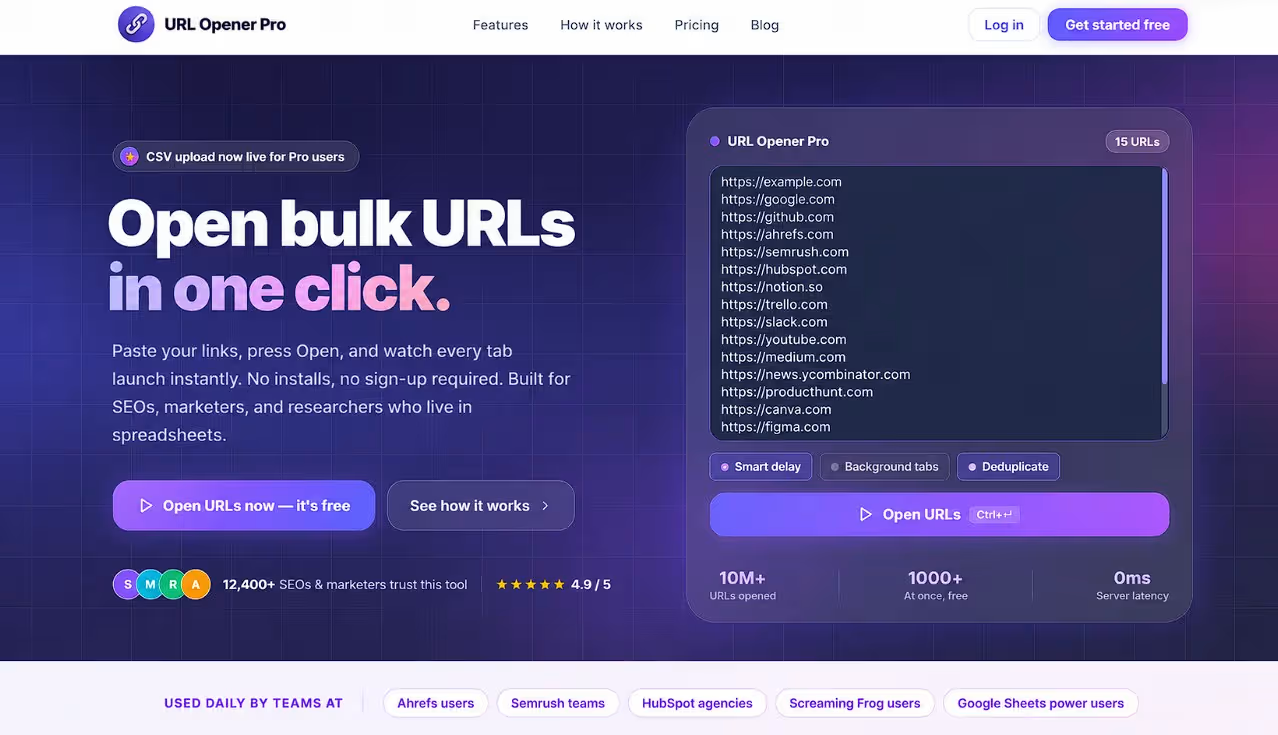
Both workflows end with a list of URLs to inspect by hand. That is a good moment to paste the list into a bulk URL opener such as URL Opener Pro, open every page in one click and check each one against its Search Console reason.
Crawl Stats: what Google thinks of your infrastructure
18. Ace Zhuo, CEO | Sales and Marketing, TradingFXVPS
“Most SEO reports tell you what Google thinks of your content. This report tells you what Google thinks of your infrastructure.”
What happened: open Settings, then Crawl stats. Ace found the report after a server migration, when rankings fell and no keyword tool could explain it. Average response time to Googlebot had jumped from about 300ms to over 1,100ms, and crawl requests had dropped by nearly half. The “by response” view also showed thousands of hits on redirect chains and old parameter URLs. He fixed caching, removed the redirect chains and blocked the parameter URLs. He says crawling recovered within a month and new pages were indexed in days instead of weeks.
Screaming Frog: crawl depth and template segments
19. Swayam Doshi, Founder, Suspire
“Good pages hidden behind too many steps are invisible to buyers as well as search engines, so make your best work easy to reach.”
Try it: sort the Crawl Depth column in Screaming Frog, which shows how many clicks each page sits from the homepage. Swayam found 47 of his best product guides five or more clicks deep. Links from top category pages brought every important page within three clicks. He reports 41% more search visits to those guides within ten weeks, 29% more pages crawled per week and 18% more sales from guide pages, with no new content written. Those figures are his own, but the check takes five minutes.
20. Josiah Roche, Fractional CMO, JRR Marketing
“Grouping pages by template lets you see whether an issue affects one URL or a whole section of the site.”
What happened: on an ecommerce site with about 8,000 URLs, segmenting the crawl by template exposed product filters that were creating URLs and wasting crawl budget. After correcting canonical tags and internal links, indexed pages dropped by roughly 18% while organic clicks rose about 22% over three months. Fewer indexed pages is not always a sign the SEO went backwards.
Underutilized SEO Features in Keyword, Backlink and AI Visibility Tools
Underutilized SEO features also hide inside keyword, backlink and AI visibility tools, usually as a filter, a data series or a column most users never open. Six experts found them.
Keyword research tool features
21. Will Mitchell, Founder, StartupBros
“How do I find a supplier who speaks English. What happens if my first order shows up damaged. They read almost word for word like the comments under my videos.”
Try it: Will ignored the question filter in his keyword tool for years. When he finally toggled it, the list turned into full sentences people actually type. He groups overlapping questions and writes one article or video that answers the whole cluster, using the searcher’s phrasing in his headings. He says those pieces rank more easily because bigger sites chase head terms and leave long questions alone. He now runs the question filter before he looks at search volume.
22. RHILLANE Ayoub, CEO, RHILLANE Marketing Digital
“That is one block of demand reported under two spellings, and adding the two volumes counts it twice.”
Try it: Ayoub treats the 12-month search series that Keyword Planner shows next to each volume as a fingerprint. “Dentiste” and “dentistes” both showed 14,800 searches a month, and the monthly series behind each were identical. His merge rule: the series match, the series has at least three different monthly values, and the volume is at least 50 a month. The three-value condition matters because many unrelated keywords sit on the same flat line. On one client’s list, double counting added 102,910 searches a month, 28% of the raw total.
Backlink tool features
23. Jonathan Solis, Founder, Whisker Bark
“Most people open the backlink report to admire the total. I open it to see what showed up this week.”
Try it: sort new backlinks in Ahrefs by first seen date so the newest referring domains appear at the top. That is how Jonathan matched a two-point domain rating jump to one press mention, and how he caught a batch of link-farm domains. He runs it as a weekly five-minute check: credit links you recognize to whatever earned them and investigate the rest. One caution from us: Google generally ignores low-quality links on its own, so confirm a real problem before building a disavow file.
AI visibility features
AI answers are now a separate visibility channel, and three experts found ways to measure it with tools many teams have not opened.
24. Ilias Galiotos, Founder, Search Minds
“Share of voice shifts every time you rerun a prompt. A wrong claim stays wrong, and it points to the page that needs fixing.”
What happened: most Waikay users go straight to the share of voice reports. Ilias goes to Fact Tracker, which lists every factual claim AI models make about a brand. For an international exam provider, the export held 49 claims. Copilot told users the brand’s free re-sit didn’t exist, even though the offer is on the homepage, and only 1 of 8 answers about re-sits was correct.
25. Nirmal Gyanwali, Founder & CEO, WP Creative
“I’ve been building on the web since 2005. AI still didn’t know who I was.”
What happened: Nirmal ran Ahrefs Brand Radar on his own site before relaunching it. The report showed 141 AI citations in total, none from ChatGPT, and his name appeared in none of the 30 prompts he cared about. That changed what he builds: fewer long blog posts, more pages that answer one question clearly at the top, and one consistent description of who he is everywhere online.
26. Lilach Bullock, AI Implementation Consultant and Fractional CMO, Lilach Bullock
“I now run the extension alongside my usual crawler on every audit I do.”
What happened: Lilach ran an AI browser extension (she used Claude’s) over her own site as a second auditor. It flagged 17 issues her regular SEO crawler had missed, including a canonical tag pointing to a redirect chain and a duplicate H1 across a content cluster. She fixed both in an afternoon and says traffic on that cluster moved up the following week. Treat it as a second opinion next to your crawler, not a replacement.
How to Put Underutilized SEO Features to Work in One Afternoon
The fastest way to use these underutilized SEO features is to pull the pages that are close to working, then review them as a batch. Here is a workflow built from the patterns above.
The one-afternoon workflow
- Export your striking distance queries. In Search Console, filter to positions 8 to 20 (or 21 to 30), sort by impressions and export. The interface caps exports at 1,000 rows, so use a three-month range and narrow by page type if needed.
- Match each query to its page. Click the query and read the Pages tab. If two URLs appear, treat it as cannibalization before writing anything.
- Sort pages by opportunity. High impressions with low click-through rate first, then pages with queries missing from the title or first heading.
- Build a URL list of your top 10 to 20 pages. Paste it into a spreadsheet next to each page’s target query.
- Open all of them at once. Paste the list into URL Opener Pro and open every page in parallel tabs. The free plan opens up to 10 URLs at a time; Pro handles 500+ URLs and CSV uploads.
- Review each page against its queries. Check the title, H1, first paragraph, FAQ wording and internal links. Add a direct answer near the top where the query is a question.
- Request indexing and log the change. Use URL Inspection after editing and write down the date so you can compare before and after (Brian Hansen of Rocket Pilots recommends annotations for exactly this).
- Re-check in four weeks. Compare the same queries against your baseline, and keep one unedited page as a control, as Aigars Pilmanis does.
Quick reference: where to find each feature
| Feature | Where to find it | Use it to | Expert example |
|---|---|---|---|
| Page filter + Queries tab | Search Console, Performance | Find visible pages with no clicks | Om Yadav |
| Position filter (8 to 30) | Search Console, Performance | Build a quick-win list | Victor Smushkevich, Michelle Symonds |
| Query + Pages tab | Search Console, Performance | Spot cannibalization | Andrew Izrailo |
| Regex query filter | Search Console, Performance | Isolate questions and comparisons | Hamza Ezzaydia, Shantanu Pandey |
| Branded vs non-branded split | Search Console, Performance | See real growth | Aidan Shaw |
| Crawled, currently not indexed | Search Console, Indexing, Pages | Find pages Google rejected | Oscar Scolding |
| Crawl Stats | Search Console, Settings | Diagnose server and crawl waste | Ace Zhuo |
| Crawl Depth column | Screaming Frog | Find buried pages | Swayam Doshi |
| 12-month search series | Keyword Planner | Avoid double-counted volume | RHILLANE Ayoub |
| Fact Tracker, Brand Radar | Waikay, Ahrefs | Audit AI answers about your brand | Ilias Galiotos, Nirmal Gyanwali |
What the 26 experts have in common
Four patterns repeat across these answers. First, they start from real queries, not guesses. Second, they check which slice of data they are reading, whether that is branded traffic, a sitewide average or the 81% of clicks with no named query. Third, they fix infrastructure and structure before writing more content. Fourth, they verify what AI tools say about the brand, because a wrong claim in an AI answer is a content problem you can fix.
None of them promises a ranking guarantee, and a few said so directly. Read every percentage in this guide as that expert’s own result.
More underutilized SEO features from the community
These contributors answered the same question with a tip we could not cover in full.
- Rick Elmore, CEO, Simply Noted: Filter Search Console to positions 8 to 20, sort by impressions, then rewrite titles and add a direct answer and FAQ that mirrors the query wording.
- Shoaib Mughal, Founder, Marketix Digital: Use page-level query data to choose internal link anchors from queries a page already gets impressions for.
- Dewi Saklina, SEO Specialist, Explainerd: Compare queries and pages in the Performance report to find older articles with impressions but weak titles.
- Mark Bietz, CMO, Halloween Costumes: Use Crawl Stats with server logs to see whether bots keep revisiting low-value parameter URLs.
- Brian Hansen, President, Rocket Pilots: Annotate page updates and indexing changes next to Search Console data so you can explain later movements.
- Jason Hennessey, CEO, Hennessey Digital: Start GA4 Path Exploration from an organic landing page to see where visitors go next.
- Xavier Berkness, President & CTO, PERC Engage: Use the 24-hour performance view after launches and fixes for early indexing signals.
- Mariia Grachova, Co-Founder & CEO, Loona Agency: Use CallRail dynamic number insertion with a separate number per Google Business Profile location to attribute phone leads.
- Tyler Henn, Founder and CEO, Hennhouse Digital Growth Studio: Compare map-grid scan times with Google Business Profile hours before blaming a ranking drop.
- Dennis Shirshikov, Head of Growth and Engineering, Growthlimit.com: Use Screaming Frog custom extraction with XPath or CSS selectors to pull any on-page element across a crawl.
- Vitaliy Kononov, Co-Founder & CTO, Atty: Use an internal links report to find important pages with few inbound links.
- Daria Turanska, Legal Manager, FasterDraft: Group pages by the intent behind their queries to see which impressions lead to sales.
- Brinda Ayer, Founder and Principal Consultant, Urban Creative: Use the Compare option to line up two date ranges around a site update.
- Neil Webzell, CEO, Trafalgar Wireless: Check Bing Webmaster Tools for high-impression, low-click pages.
- Jock Breitwieser, Digital Marketing Strategist, SocialSellinator: Read the PageSpeed Insights diagnostics, not just the score.
- Sahil Kakkar, CEO / Founder, RankWatch: Segment landing pages by engaged organic visits to catch traffic growth that lowers visit quality.
How these tips were collected
These tips were submitted by contributors through Connectively in response to one question about underutilized SEO tool features. Results are self-reported and have not been independently verified. Treat them as ideas to test on your own site.
Conclusion
Underutilized SEO features are usually free, already in your dashboard and one filter away. The 26 experts here found their gains by reading data more narrowly: one page, one query pattern, one crawl report. Pick one feature from the quick reference table. This week, export your striking distance queries, review the top 10 pages and log today’s date and your baseline numbers. Then paste those URLs into URL Opener Pro, open them in one click and start editing instead of hunting for tabs.
Frequently Asked Questions
What are the most underutilized SEO features?
Based on this roundup, the most underutilized features are the page-level filter in Search Console’s Performance report, the regex query filter, the Page indexing report, Crawl Stats and Screaming Frog’s Crawl Depth column. Most are free or already included in tools you pay for. They are underused because they sit one or two clicks below the default charts.
What is a striking distance keyword?
A striking distance keyword is a search where your page already ranks near the bottom of page one or on page two, commonly positions 8 to 20. Google already treats the page as relevant. Small edits to the title, headings, on-page answer or internal links can often move it up.
How do I use regex in Google Search Console?
Open Performance, click Add filter, choose Query, then pick Custom (regex). Enter a pattern and choose whether it should match or not match. Search Console uses RE2 syntax, so a simple pattern that starts with how, what or why isolates question searches.
What does “Crawled, currently not indexed” mean?
It means Google found and crawled the URL but chose not to add it to its index. Common causes are thin or duplicate content, weak internal links and pages that do not add anything new. Review each URL, then improve, consolidate or remove the weak ones.
How do I check crawl depth in Screaming Frog?
Run a crawl and look at the Crawl Depth column in the Internal tab. It shows how many clicks each URL is from the start page. Sort the column to find important pages that sit four or more clicks deep, then add links from category or hub pages.
Why do Search Console totals not match the queries listed?
Google withholds some rare queries for privacy, so the visible query rows add up to less than the total clicks. The Pages view counts every click, which is why some experts judge pages there. Treat query-level data as a sample, not the full picture.
Do I need paid tools to use these underutilized SEO features?
No. Search Console, PageSpeed Insights and Bing Webmaster Tools are free, and Screaming Frog has a free version with a URL limit. A few features here, such as Ahrefs Brand Radar and Waikay, need paid plans. Start with the free ones.
How often should I review these reports?
Monthly works for most sites, and several experts here run their checks on a monthly schedule. Check weekly for new sites, after migrations or when you publish large batches of pages. Always log the date of each change so you can compare before and after.
How long do these changes take to show results?
Contributors reported anywhere from about three weeks to four months, depending on the site and the change. Rankings can move before clicks do, and nothing here is guaranteed. Measure the same queries against a baseline rather than judging total traffic.
How can I track whether AI tools mention my brand?
Tools such as Ahrefs Brand Radar and Waikay track citations and claims across AI assistants. Manual prompt checks are useful but change from run to run. A list of specific wrong claims is more stable than a share of voice score, and it points to the page that needs fixing.
How do I fix keyword cannibalization?
First confirm it by filtering Search Console to one query and checking the Pages tab. Choose the page that should own the query, merge useful content from the others into it and 301-redirect the rest. Then update internal links so they point to the page you kept.
How can I open many URLs from an export at once?
Paste the list into a bulk URL opener such as URL Opener Pro and open every page in parallel tabs with one click. The free plan opens up to 10 URLs, and the Pro plan handles 500+ URLs and CSV uploads. It runs in your browser and does not need a login.